At a glance
Key takeaways
- Keep a passive feedback option available and reserve prompts for meaningful moments.
- Ask one focused question before asking for more context.
- Let users finish their task before requesting a rating or review.
Use passive and active feedback differently
A passive feedback widget waits for the user. It works well for bugs, spontaneous ideas, and moments of frustration you cannot predict. An active prompt asks a specific question after a known event, such as completing setup or using a new feature.
Most products need both, but not at the same intensity. Start passive. Add active prompts only when the answer will influence a real decision.
Good moments to ask for in-app feedback
- After the user completes a meaningful task, not while they are still working through it.
- After they have used a new feature enough to form an opinion.
- When they encounter an error and may want to explain what happened.
- When they abandon a flow and a short optional question can clarify why.
- After repeated product use, when a review reflects real experience.
Simple product feedback questions that feel human
Write questions the way a thoughtful teammate would ask them. “What made this difficult?” is easier to answer than “How would you rate the usability of this workflow?” Use the answer to decide whether a longer follow-up is necessary.
| Moment | Question |
|---|---|
| Completed task | Was anything harder than you expected? |
| New feature | Did this help you finish what you came to do? |
| Error | What were you trying to do when this happened? |
| Feature request | What would this help you accomplish? |
| Review | What has been most useful so far? |
How TellTide keeps in-app feedback clean
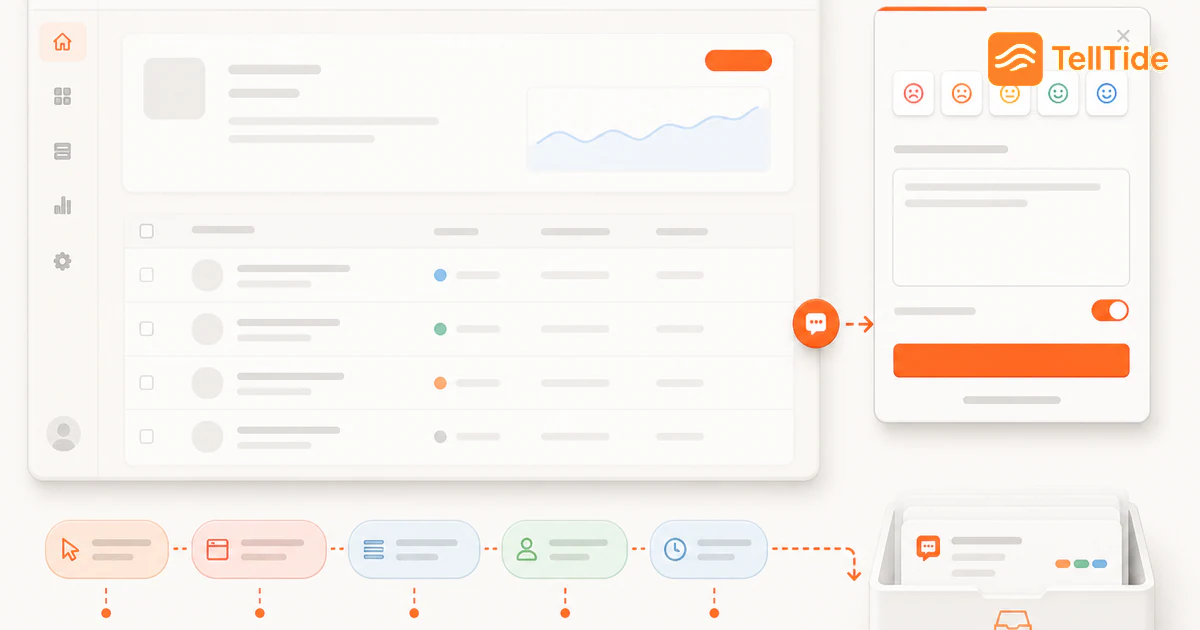
TellTide adds a configurable launcher to your website or web app. You choose its position, label, colors, categories, behavior, and device visibility so it can fit the product instead of competing with it.
Users choose the reason they are writing—review, feedback, bug, or feature request—and the response goes to the matching inbox workflow. That small bit of structure makes the form easier for the user and the message easier for your team to act on.
Example: ask after a meaningful product moment
Imagine a reporting product that asks for feedback immediately after login. The user has not completed a task, so the prompt is mostly interruption. A better trigger appears after the user exports a report for the third time: “Was anything missing from this export?” The question is tied to a real experience, and the response can include the report type and current screen without asking the user to explain the context.
Passive access should still exist. A small feedback launcher lets users report an issue or suggestion when they choose, while targeted prompts are reserved for moments where the team has a specific question. Apply frequency limits across sessions so dismissing one prompt does not cause another to appear on the next page.
Measure usefulness, not prompt impressions
- Track prompt views, dismissals, completed responses, and responses that lead to a decision.
- Compare feedback quality by trigger instead of treating every submission as equal.
- Watch task completion and support contacts for signs that a prompt interrupts critical work.
- Retire prompts when the decision has been made; an always-on research question quickly becomes noise.
The best in-app feedback program asks fewer, better-timed questions and preserves a user-controlled way to speak at any time.
A prompt policy with a clear stopping rule
Define eligibility, timing, suppression and retirement before showing a prompt. For example, a team might ask about an export only after successful completion, exclude users handling an error, suppress the question after dismissal, and retire it once the export decision is made. These are implementation choices, not measured conversion recommendations.
Watch whether the prompt changes completion of the primary task. More responses are not a win if users abandon the activity you asked them about. Compare useful answers and task outcomes over the same period, while recording changes to who saw the prompt.
TellTide provides a configurable feedback launcher. The event-based campaign and cross-session suppression described here require implementation in your own app unless explicitly supported by your chosen tool. Review widget selection criteria before promising targeting behavior.
Put this into practice: Get Pro
Questions teams ask before choosing this workflow
When should I ask for in-app feedback?
Ask after meaningful product moments, when the experience is fresh but the user’s task is complete. Keep a passive widget available for unplanned feedback.
How do I avoid annoying users with feedback popups?
Use fewer prompts, respect dismissals, avoid interrupting critical tasks, and ask one short question tied to a real decision.
Can the TellTide widget be customized?
Yes. You can configure categories, colors, launcher copy, panel title, position, fonts, behavior, and mobile or desktop visibility.

Abhijith
Founder of TellTide, writing practical guides about product feedback, feature requests, and public roadmap workflows for SaaS teams.